The DCP (Digital Cinema Package), is the “digital file format” specific to projection in cinemas (since the disappearance of 35mm film copies in 2012). It is an international technical standard. Here is a summary of the best practices for creating a DCP that meets professional technical requirements.
What is a DCP?
A DCP is a set of files in a folder (image, sound, subtitles and metadata - i.e. image format, number of images per second, country, etc.). This file will be copied to the “server” of the projection booth of the cinema (beware, this takes about the time of the duration of the film), in order to be then available to be projected (via a simple playlist).
How to make a DCP?
The DCP is made with a specific software and must respect precise technical standards. The purpose of this article is to specify these standards and to indicate a good way to do it, with the free software DCP-o-matic. Of course, the subject is much larger than what will be discussed in this article, but you will be able to make an “official” and functional DCP in a movie theater by yourself.
The technical standards of DCP
Image:
DCP has only two formats in projection:
- The FLAT: format of 1.85 wide. That is 1998x1080 pixels.
- The SCOPE : format of 2,35 wide. That is 2048x858 pixels.
If the format of your film is different (1.33 or 1.78 for example, which are the two video formats 4/3 and 16/9), fortunately the DCP-o-matic software will help you by automatically putting “black bars” (horizontal or vertical).
The frame rate of your film can be 24 (preferably), 25 or 30 frames per second.
Sound:
DCP primarily accepts:
- Stereo sound: 2 speakers in front.
- 5.1 sound: 6 speakers (center, front stereo, rear stereo and subwoofer).
An extremely important point is the management of the sound volume:
- The dynamic range (i.e. the difference between soft and loud sounds) is much greater in a movie theater than on television and the Internet. This is why it is advisable to make two mixes (a “cinema” mix and a “TV” mix).
- In your DCP, the sound volume of the voices must vary between -12dB and -9dB (6-dB maximum). But sound effects or music can go down to 0dB.
- In concrete terms, if you want to make a DCP from a film mixed for the Internet, you must lower the volume in general, otherwise it will be much too loud for the room, forcing the projectionist to manually lower the volume just for your film.
Adjusting the sound volume with DCP-o-matic :
- Here’s a movie mixed for the Internet (the sound is almost all the time stuck at 0dB, to be as loud as possible):

- We’ll turn the volume down:

- And thus arrive at a correct volume for a movie theater:


Making a DCP with DCP-o-matic
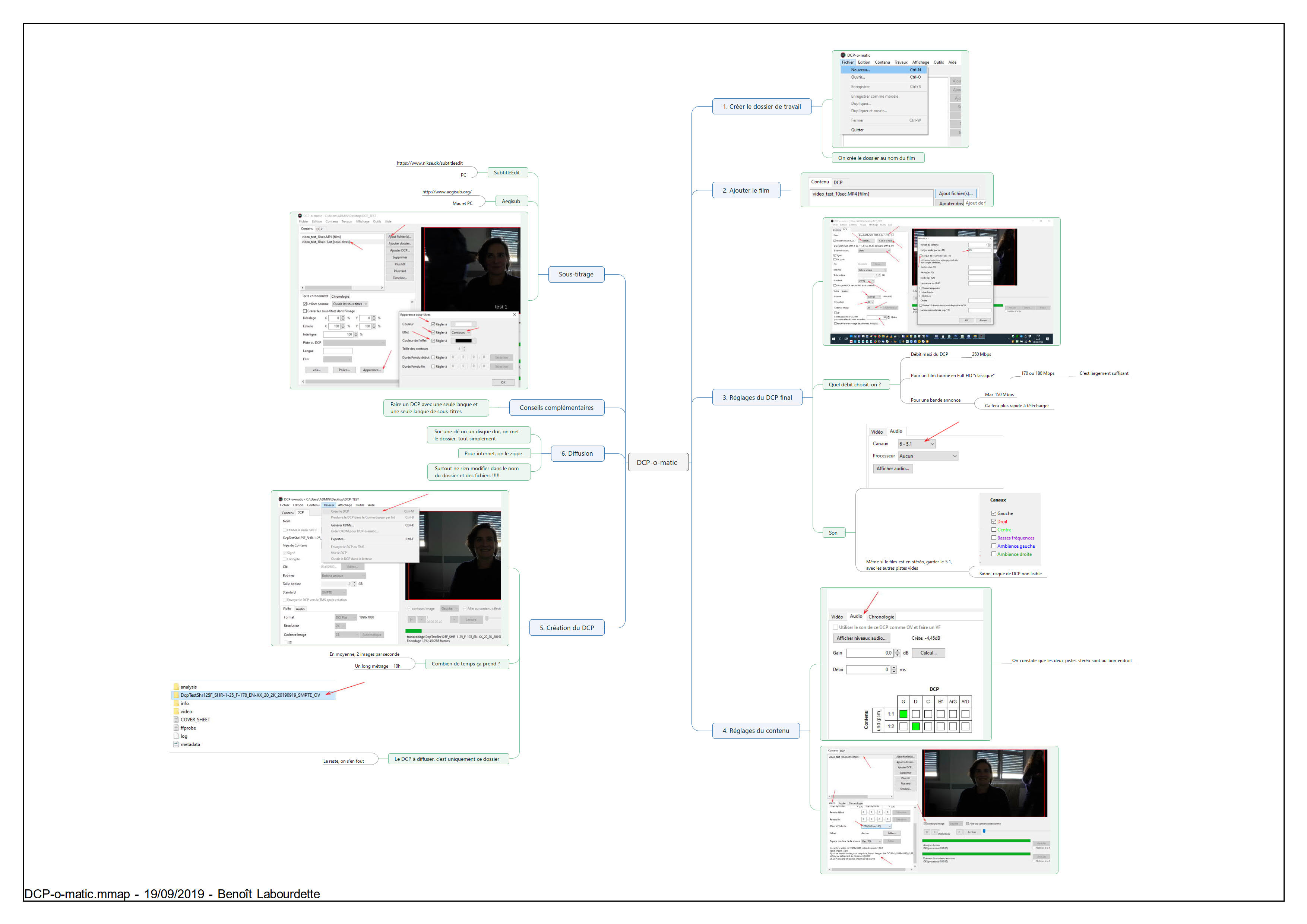
Here is a step-by-step summary of how to make a DCP with DCP-o-matic:
Steps for making a DCP with DCP-o-matic

Distribution of a DCP
Your DCP will be sent to the theater via the internet or on a hard drive (or USB key). Caution ! Formatting your hard drive or USB key is very important. Mac OS formatting will not work (your hard drive will simply not be recognized). Windows NTFS formatting, even if it is not the official formatting for DCP, works in the vast majority of cases. The official formatting of a hard disk to distribute DCP is EXT2 (Linux formatting).
It is possible to access Mac/Windows/Linux formatting on any computer by installing utilities (especially paid software Paragon). Free utilities are difficult to use.
Formatting is not an issue if you send your DCP as a ZIP file over the Internet.
Summary of DCP distribution:

This guide is useful and concrete but partial
This quick guide allows you to make a DCP with a picture that is respected and sound that is broadcast in a normal way in a movie theater. However, it is very partial!


